

Renderer
Path-traced in real time on Apple silicon
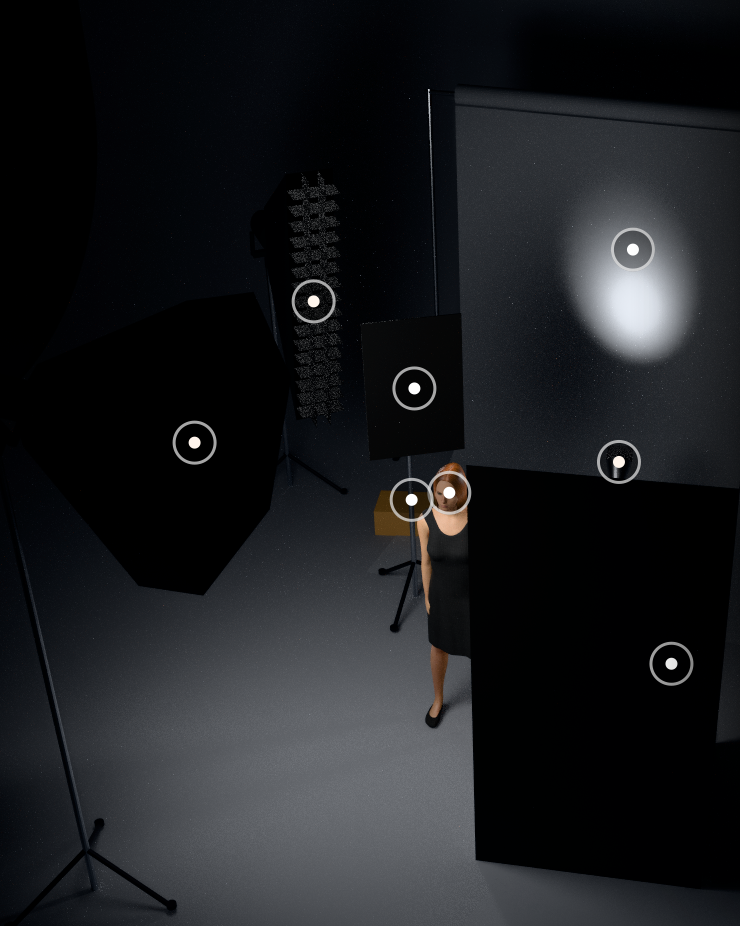
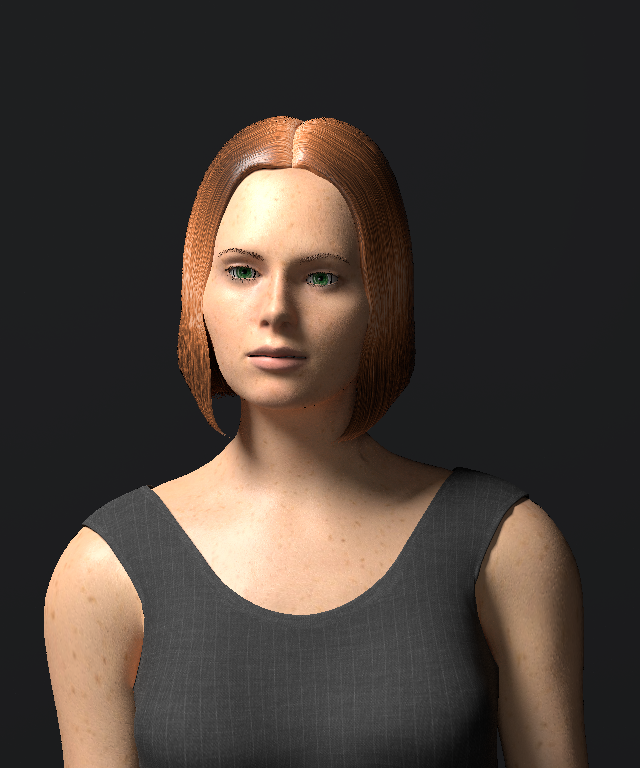
Hardware ray tracing on M3 and newer. Soft shadows, skin and fabric look the way your modifiers make them look.
Studio lighting simulator for Mac · closed beta
Drop in any portrait. Strobelab reads the catchlights and shadows, names the pattern (Rembrandt, loop, butterfly) and rebuilds it in a physically based studio with the strobes and modifiers you actually own. The photo never leaves your Mac.
Free Starter tier at launch. Closed beta for 10–15 photographers.
BetaA real app, running today
A physically based photo studio on your Mac. Real strobes, real modifiers, a real light meter, and a crew sheet your assistant can set up from.
Beta catalog: Profoto, Godox, Broncolor, Aputure, Nanlite, amaran and Astera lights, plus 25 modifiers.
15 lights · 25 modifiers · 6 camera bodies in the beta catalog, plus anything you enter from a datasheet.
How it works
A Pinterest frame, a client's mood board, your own best portrait. JPEG, PNG, HEIC or TIFF.
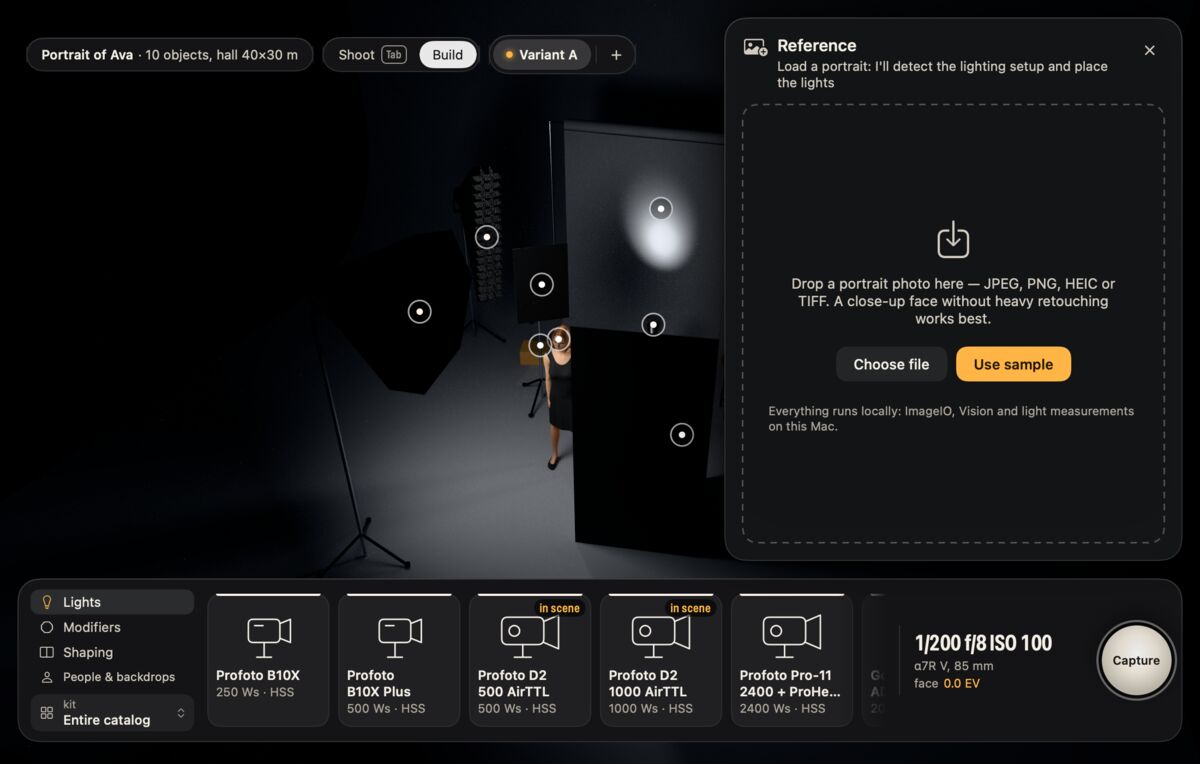
Strobelab names the pattern and measures it: key azimuth and height, key-to-fill ratio, modifier size from the catchlight shape.
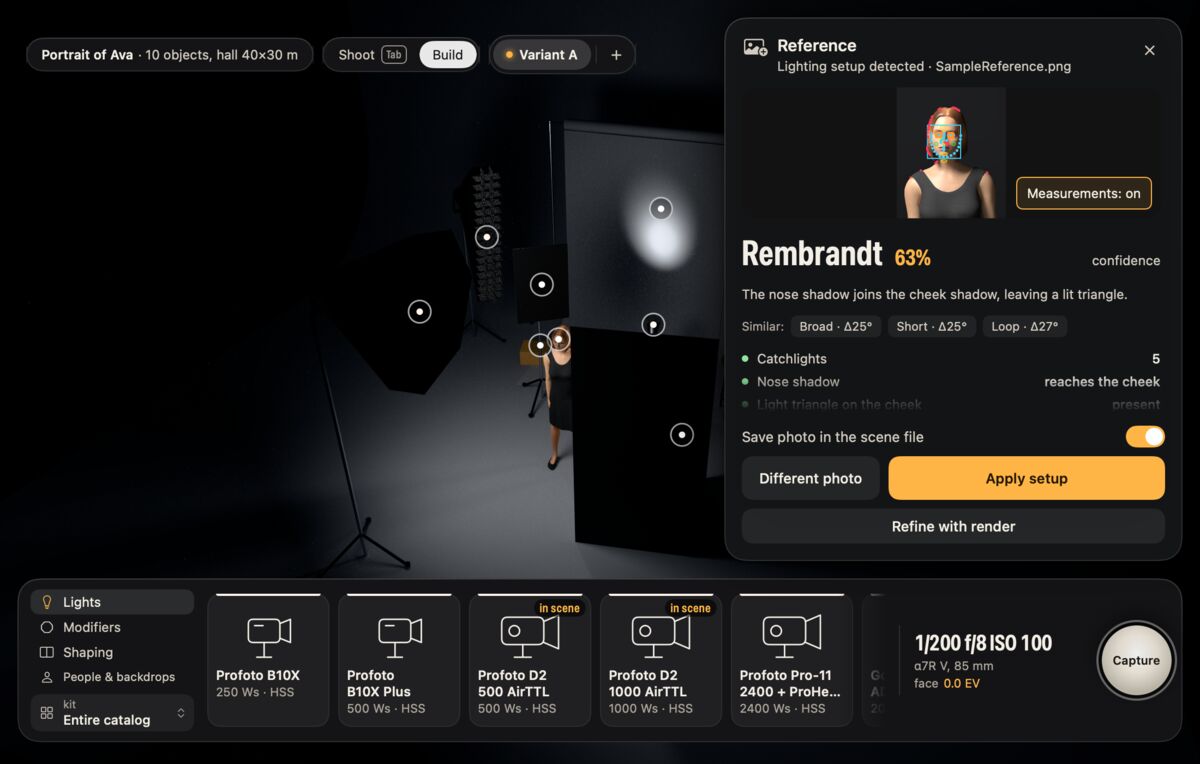
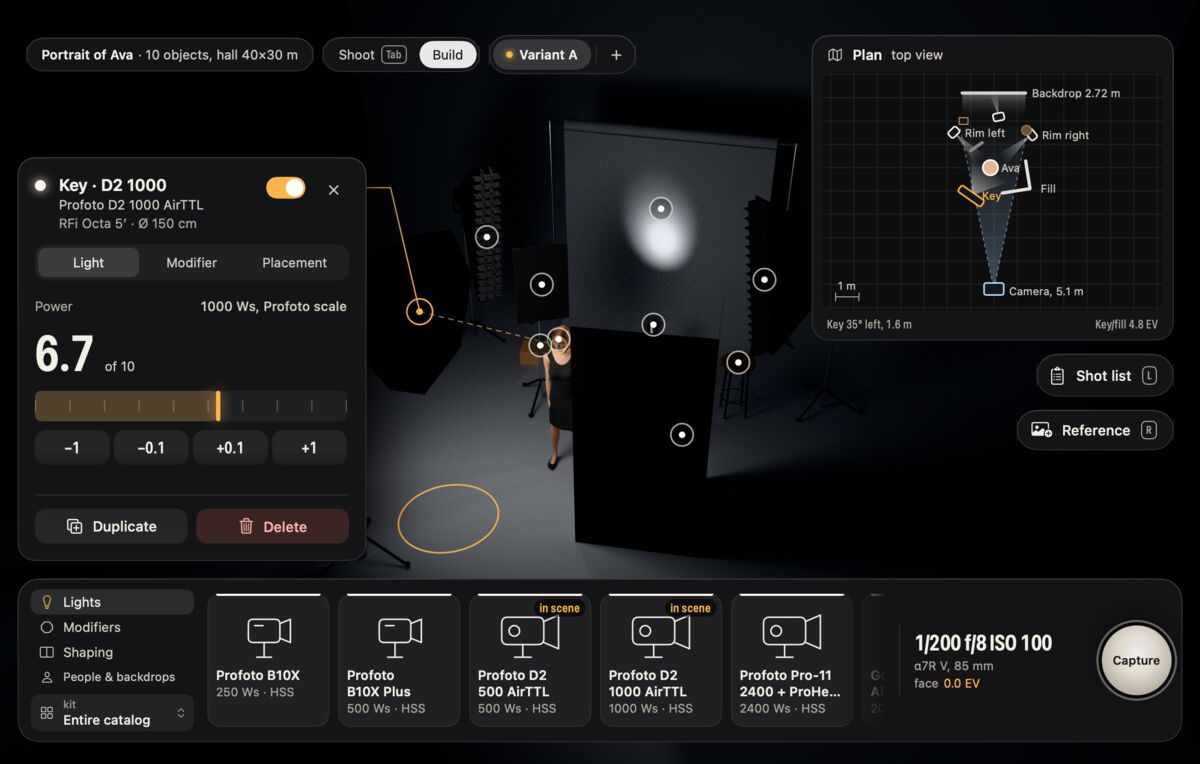
Save your lights and modifiers as a kit. The setup is placed with what you own: power on each unit's own scale, HSS where it exists.
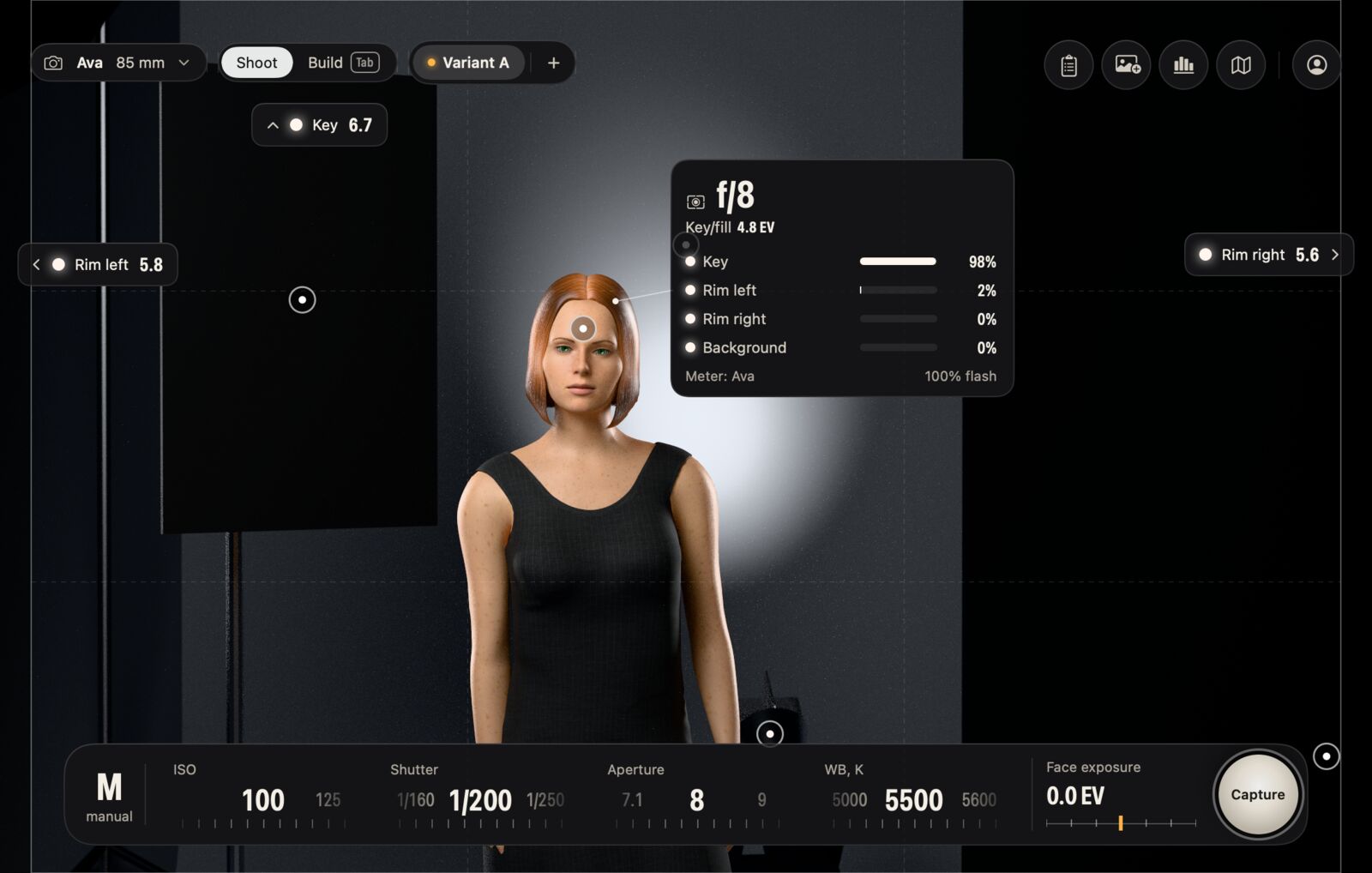
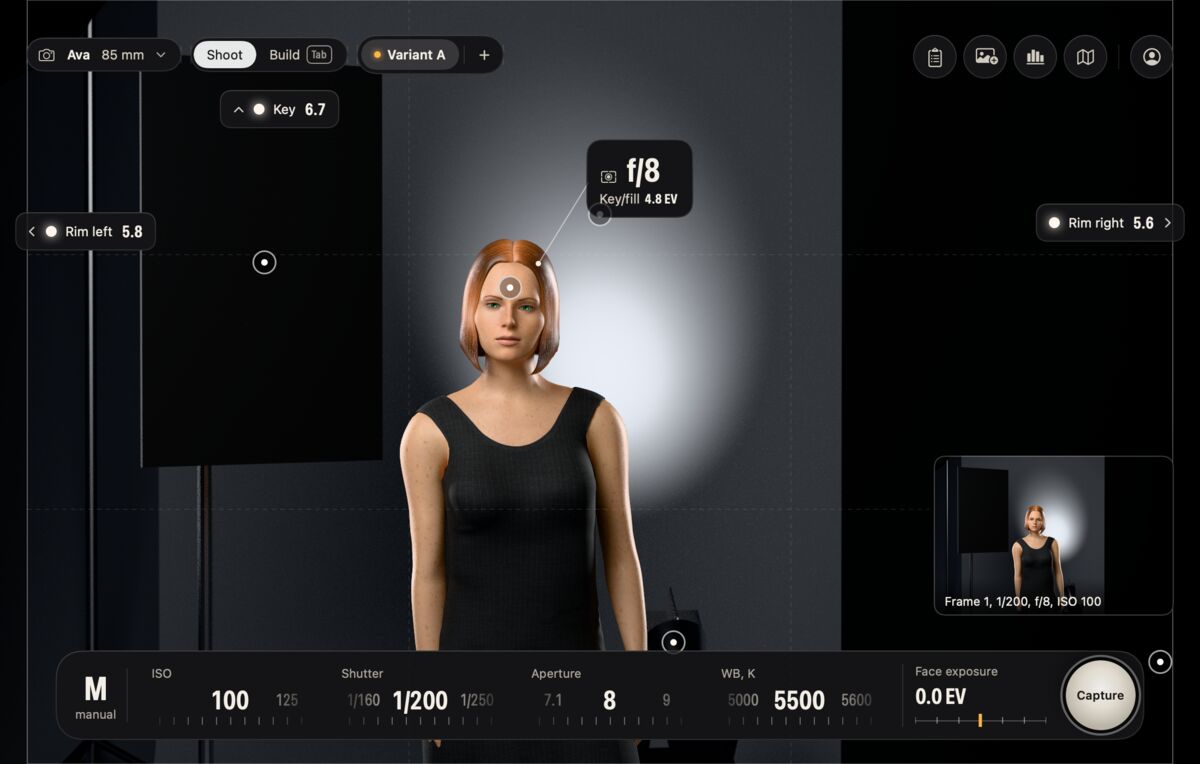
Set ISO, shutter, aperture and white balance like you would on set. Meter at the face, take a frame and put it next to your reference.
One PDF with a top-down plan, every light's unit, modifier, power, height and distance, the metering target, a gear checklist and your shot list across variants.
Physically based
Every bounce is path-traced on Apple silicon. Light falls off with distance the way it does on set, modifiers have their real sizes, and flash power uses each unit's own scale, so 6.7 in the app means 6.7 on your Profoto.
Inside the studio
Renderer
Hardware ray tracing on M3 and newer. Soft shadows, skin and fabric look the way your modifiers make them look.
Light meter
Reference match
The pattern name plus angles, ratio and modifier size.
My kit
Camera
Sony α7R V, Canon EOS R5 II, Nikon Z8, Fujifilm GFX100 II, Hasselblad X2D 100C and Phase One IQ4, each with real sensor size and sync speed.
Variants
Full copies of a scene for A/B/C. Each one gets its own page on the crew sheet.
Coming after launch
The full studio on iPad with Apple Pencil. iPhone becomes the on-set companion: checklist, plan, and placing lights where the plan says.
Privacy
Plans the beta is free · prices announced at launch
For trying it on your next real shoot.
€0forever
Most photographers
For photographers who plan every shoot.
Price at launch
★ Founder's discount for beta testers
For studios with assistants and producers.
Price at launch
★ Founder's discount for beta testers
Waitlist and closed beta
Everyone on the list hears first when Strobelab opens. We're also picking 10–15 portrait photographers for a hands-on closed beta. Four short questions help us choose.
A Mac with Apple silicon on macOS 26 Tahoe. It's best on M3 or newer, where hardware ray tracing makes the path-traced studio feel live. M1 and M2 work too, with slower previews. Intel Macs aren't supported.
No. Face, catchlight and shadow analysis runs on your Mac. We never receive your photos and never train on them. The app only goes online to check for updates and, if you have an account, to sign in. Starter needs no account.
No. Recognition measures your reference, and the studio is a physical simulation: inverse-square falloff, real modifier sizes, real flash power scales. The f/8 you meter is the f/8 you get, within the tolerances we'll publish after calibration.
Starter is free forever, no account needed. We'll announce Creator and Team prices at launch, and everyone in the beta gets a founder's discount on them. The beta itself is free. Physics, your own gear, on-device recognition and export of your files are never paywalled, and no plan limits storage.
Add them from the datasheet (watt-seconds or lux at 1 m, mount, colour temperature) and they behave like any other light. Beta photographers' gear is calibrated into the catalog first.
Both. Flash heads and LEDs such as the Aputure LS 600d Pro, Nanlite Forza 500B II, amaran F22c and Astera Titan Tube, with their real output and colour range.
After the Mac. iPad gets the full studio with Apple Pencil. iPhone becomes the on-set companion: checklist, plan, and placing lights where the plan says.
The closed beta is free and starts this winter. We'll pick 10–15 photographers from the list and ask for two planned shoots and one 30-minute call. We'll write to you either way.
English and Russian at launch, with numbers and units following your Mac's region.